Every Florida church goes through the same scramble when a storm turns toward the coast. Is Sunday service canceled? Who checks on the elderly members? Can the building be used as a supply point afterward? Where do we post updates if the power is out?
Atlantic hurricane season runs from June 1 to November 30. The calm months between seasons are the best time to write your plan, because during a storm nobody has time to think it through.
This guide focuses on communication: who says what, through which channel, and when. Facilities and insurance are just as important, so involve your facilities team and insurer too.
This checklist covers communication and does not replace guidance from your county emergency management office. Always follow official evacuation orders.
Step 1. Name a small communication team
Pick three people, each with a backup:
- Decision maker (usually the senior pastor or executive director): decides on cancellations and building use
- Messenger: sends every official message on every channel
- Care coordinator: organizes check-in calls to vulnerable members and families
Write down their cell numbers and personal emails in the plan. Work email and office phones may be unreachable when the building is closed.
Step 2. Know who you need to reach
Build, or update, these lists before June:
- Everyone: members, regular attendees, families from children's programs
- Vulnerable members: seniors living alone, people with medical needs or no car, new arrivals without local family. Ask permission before adding someone to this list, and keep it private
- Leaders and volunteers: ministry leaders, small group hosts, facility team
- Families you serve: food pantry clients and program families, who may need help most after the storm
- Partners: food bank, neighboring churches, county or city contacts, insurance agent
The most important detail is mobile phone numbers with permission to text. During and after storms, texts often get through when calls do not.
Step 3. Choose channels, in order of reliability
| Channel | Why |
|---|---|
| Text messages (SMS) | Reach people without internet or the app. Work on weak cell signals |
| Church app push notifications | Instant, free, for people who installed the app |
| Good for detailed instructions before the storm | |
| Website banner | One official source of truth that everyone can check |
| Social media | Quick to update and shareable, but not everyone follows you |
| Phone tree | For members without smartphones |
Make sure at least two people can update the website and send texts from their phones, without being in the office.
Step 4. Write your message templates now
Pre-written messages save precious time. Keep them in a shared document and in your messaging tool. Examples:
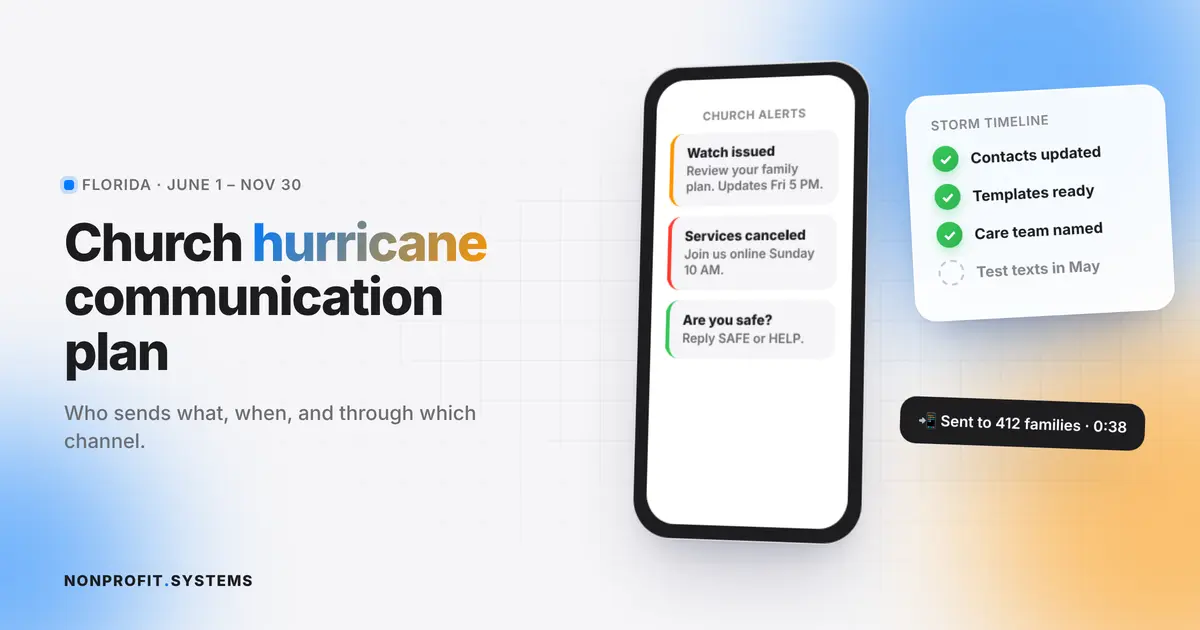
Watch issued (3 to 5 days out):
[Church name] is monitoring [storm name]. Please review your family hurricane plan. We will share any changes to services or events by [day, time]. Updates: [website link].
Service cancellation:
Due to [storm name], all services and activities on [dates] are canceled. Join us online at [link] at [time]. If you need help preparing or evacuating, reply to this message or call [number].
After the storm, check-in:
We are praying for everyone affected by [storm name]. Please reply SAFE if you and your family are okay, or HELP if you need assistance. Our care team will contact you.
Recovery and supply distribution:
[Church name] will distribute water, food and supplies on [date] from [time] at [address]. Please bring [ID / nothing]. Volunteers needed: sign up at [link].
Step 5. Timeline: what happens when
Before the season (by June 1)
- Update contact lists and the vulnerable-members list
- Test your text messaging and app notifications
- Back up member and donor data to the cloud
- Confirm how you will stream or post services if the building is closed
Watch (3 to 5 days out)
- First message to everyone with preparation reminders
- Care team starts calling vulnerable members
- Decide on weekend services by a set deadline
Warning (1 to 2 days out)
- Cancellation message on all channels
- Website banner updated
- Last check on vulnerable members, especially anyone who may need transport
During the storm
- Short updates only, to save phone batteries
- Keep the website banner current
After the storm (first 72 hours)
- SAFE / HELP check-in message
- Care team follows up on everyone who did not respond
- Assess the building, then announce if it can serve as a supply or charging point
Recovery (weeks after)
- Organize volunteer teams and supply distributions
- Coordinate with your food bank and county
- Share how people can help and how families can get help
Step 6. Use the tools you already have
A storm is when connected systems pay off. If your registration, contact lists and messaging live in one place, your messenger can text every food pantry family, every volunteer and every member from one screen, in minutes.
Systems built for regular ministry work also work in emergencies:
- the food pantry registration list already has phone numbers and household sizes for the families who will need supplies (see food pantry client registration)
- volunteer sign-up forms can recruit recovery teams in hours
- push notifications in a church app reach people instantly (see church apps in South Florida)
- a QR check-in at supply distribution keeps fair records of who received help
One-page checklist
- Communication team named, with backups and personal phone numbers
- Contact lists updated, texting permission collected
- Vulnerable members list (private, with consent)
- Message templates written and saved
- Two people can update the website and send texts from their phones
- Online service plan ready
- Member and donor data backed up off-site
- Partners list: food bank, nearby churches, county contacts
- Plan shared with leaders and reviewed every May
FAQ
When should a church make a hurricane plan?
Before June 1, the start of Atlantic hurricane season. The months between seasons are the easiest time to prepare.
What is the best way for a church to communicate during a hurricane?
Text messages first, because they work with weak signals and no internet. Back them up with app notifications, a website banner and a phone tree for members without smartphones.
Who should be on a church emergency communication team?
A decision maker, a messenger who sends all official messages, and a care coordinator, each with a backup.
How can a church help the community after a hurricane?
By checking on vulnerable members, serving as a supply distribution point if the building is safe, and organizing volunteers with partners like food banks.
A practical first step
Free church website audit
Share your website. We will review the visitor experience, mobile layout and the next steps for your church or nonprofit.