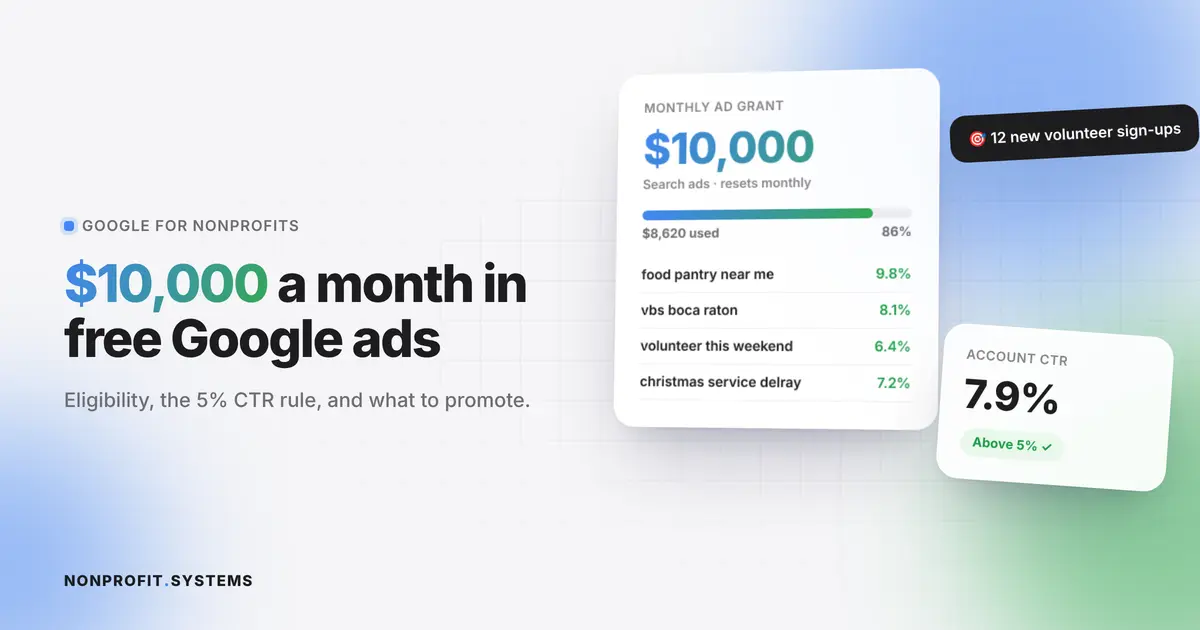
Every month, Google gives eligible nonprofits up to $10,000 in free search advertising. That is up to $120,000 a year of ads that show your church or organization when people nearby search for things like "food pantry near me," "VBS in Boca Raton" or "volunteer opportunities this weekend."
Most small nonprofits never apply. Many that do get approved lose the grant within a few months because nobody keeps up with the rules. This guide explains who qualifies, how to apply, how to stay compliant, and what is actually worth promoting.
What Google Ad Grants is
Google Ad Grants is part of Google for Nonprofits. Approved organizations get a Google Ads account with an in-kind budget of up to $10,000 per month for text ads on Google Search.
A few things to know up front:
- The budget is ad credit, not cash. Unused credit does not roll over to the next month.
- Ads appear on Google Search results only.
- Once approved, you do not reapply each year, but you must keep meeting the program rules.
Who is eligible
In the United States, your organization must:
- hold current 501(c)(3) status and appear in the IRS list of tax-exempt organizations
- be verified through Google for Nonprofits, using Google's verification partner Goodstack
- have a high-quality website on your own domain, with secure HTTPS, real content about your mission and no excessive commercial activity
- agree to Google's nonprofit terms, including on nondiscrimination
Not eligible: government entities, hospitals and health care organizations, and schools, colleges and universities (Google has separate programs for education). Fiscally sponsored projects cannot apply under their sponsor.
Can churches get Google Ad Grants?
Yes. Churches are eligible if they have IRS recognition as a 501(c)(3). This is the catch for many churches: the IRS treats churches as tax-exempt automatically, so plenty of them never applied for a determination letter and do not appear in the IRS database. Google needs to find you there. Churches covered by a denomination's group exemption should check with the central organization about how affiliation is verified.
How to apply, step by step
- Get your website ready first. Google reviews it. Make sure it explains who you serve, has clear pages for programs, events and giving, loads on HTTPS and works on phones.
- Create a Google for Nonprofits account at google.com/nonprofits and request verification. Goodstack checks your 501(c)(3) status and that you work for the organization. Watch your inbox (and spam folder) for their emails and answer quickly.
- Activate Google Ad Grants inside your Google for Nonprofits account once verified, and complete the eligibility form.
- Set up conversion tracking with Google Analytics 4 or Google Ads before launching (more on this below).
- Build your first campaigns, then submit the account for review.
Google says most verification requests are reviewed within a few business days. The full process, including building campaigns, usually takes a few weeks.
The rules that keep your grant active
This is where most organizations lose the grant. Google's main compliance rules:
| Rule | What it means in practice |
|---|---|
| 5% click-through rate | At the account level. Two consecutive months below 5% can lead to temporary deactivation |
| Conversion tracking | You must track meaningful actions: donations, sign-ups, registrations, contact forms |
| Smart bidding | Use automated bid strategies like Maximize Conversions |
| Geotargeting | Ads must target locations relevant to your work |
| Account structure | At least two ad groups per campaign, at least two ads per ad group, and at least two sitelinks |
| Keyword quality | No single-word keywords (with a few exceptions), no overly generic keywords, no keywords with very low quality scores |
| Mission-based ads | Ads must promote your mission. No ads selling products or services for commercial gain |
| Annual survey | Respond to Google's program survey when it arrives |
The 5% click-through rate sounds hard, but it is reachable when ads match what people search for. "Free food pantry in Delray Beach" with an ad about your Saturday food distribution will get clicked. A broad keyword like "church" will not.
What churches and nonprofits should promote
Ad Grants works best for searches with clear local intent. Strong campaign ideas:
- Services people search for: food pantry, free clothing, ESL classes, counseling, support groups, after-school programs
- Events: VBS registration, Christmas and Easter services, community festivals, back-to-school giveaways
- Volunteers: "volunteer opportunities in [city]" pages with a sign-up form
- Fundraising campaigns: holiday drives with a clear donation page
- Plan a visit: for churches, a "what to expect on Sunday" page for people new to the area
Example: a church running a holiday book drive can target searches like "donate books to kids Boca Raton" and send people straight to the campaign's donation page, where every gift is a tracked conversion.
The landing page matters as much as the ad
Your ad sends people to a page. If that page is slow, confusing or has no clear next step, the click is wasted and Google sees no conversion. Every Ad Grants landing page should have:
- one clear action (register, donate, sign up, plan a visit)
- a short form that works on a phone
- your location and dates in plain sight
- conversion tracking on the form submission
This is why Ad Grants and your website are really one project. A website with built-in forms and registrations makes conversion tracking simple, because every sign-up is already recorded.
Common mistakes
- Applying with an outdated website. Fix the site first.
- Broad, single-word keywords. They kill click-through rate.
- No conversion tracking, or tracking page views instead of real actions.
- Setting it up once and forgetting it. Someone should review the account every month.
- Sending all ads to the homepage. Each campaign needs its own focused page.
Should you manage it yourself?
A volunteer with some time and patience can run a small Ad Grants account using Google's free training. Many organizations hire help for the setup (account structure, conversion tracking, first campaigns) and then maintain it themselves with a monthly check.
At NONPROFIT.SYSTEMS, we help churches and nonprofits apply for Google for Nonprofits, prepare the website and landing pages, set up conversion tracking and launch the first campaigns. Google for Nonprofits also unlocks free Google Workspace and more. See our list of free and discounted software for 501(c)(3) organizations.
FAQ
How much is the Google Ad Grant?
Up to $10,000 per month in Google Search ad credit. Unused credit does not carry over.
Can churches apply for Google Ad Grants?
Yes, if the church has 501(c)(3) recognition from the IRS and passes Google for Nonprofits verification.
What is the 5% CTR rule?
Your account's overall click-through rate must stay at 5% or higher. Two consecutive months below 5% can lead to temporary deactivation.
How long does it take to get approved?
Verification is often reviewed within a few business days. Building campaigns and passing account review usually takes a few weeks in total.
Is Google Ad Grants really free?
The ad credit is free. The real cost is time: setting up campaigns properly and reviewing them every month.
A practical first step
Free church website audit
Share your website. We will review the visitor experience, mobile layout and the next steps for your church or nonprofit.